
Money Transfer Dashboard
- UI UX Design
Project Type: Web Application (Desktop UI)
Role: UI/UX Designer
Tools Used: Figma, Notion,
Duration: 2 Weeks
Objective:
The goal of this project was to create a seamless, intuitive, and secure money transfer platform where users can easily send, receive, and track transactions with a clean and visually appealing UI.
Problem Statement
Managing online money transfers can be complex and frustrating for users due to unclear navigation, confusing transaction histories, and security concerns.
- Challenges
Users struggle with complicated money transfer processes. Lack of clear transaction history and real-time insights. Managing multiple payment methods can be tedious and insecure. Need for a more user-friendly and visually appealing financial platform..
- Target Users
- Individuals who frequently send or receive money.
- Small business owners managing multiple transactions.
- Users looking for a secure and efficient way to track financial activity.
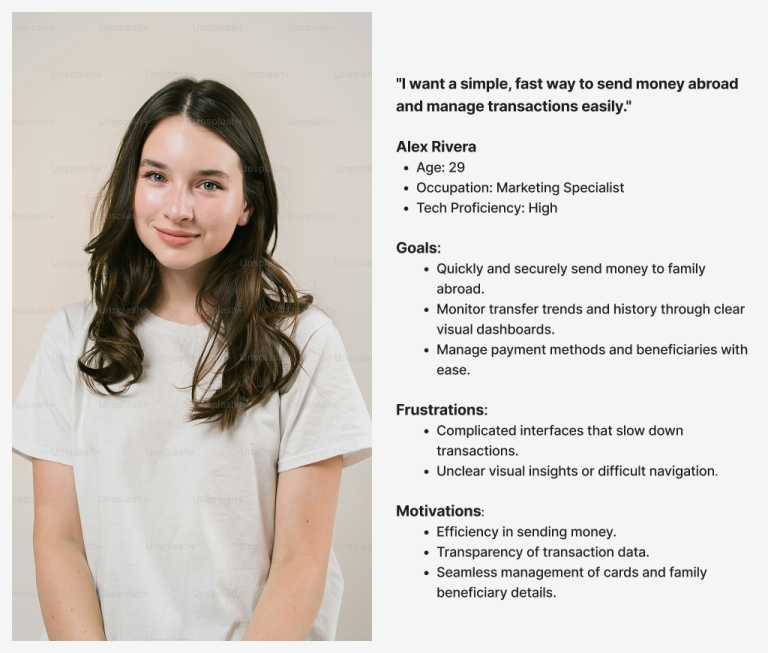
Persona
Research & Discovery
- User Research Methodology
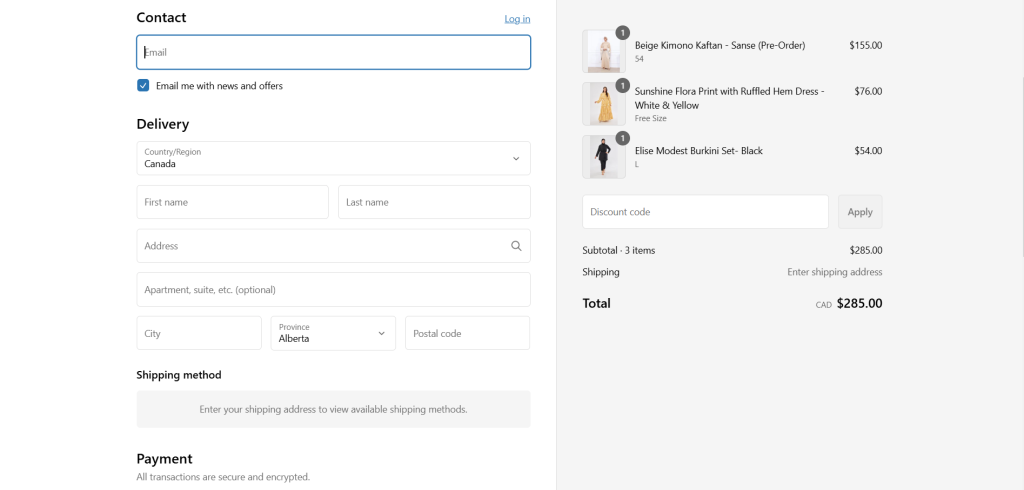
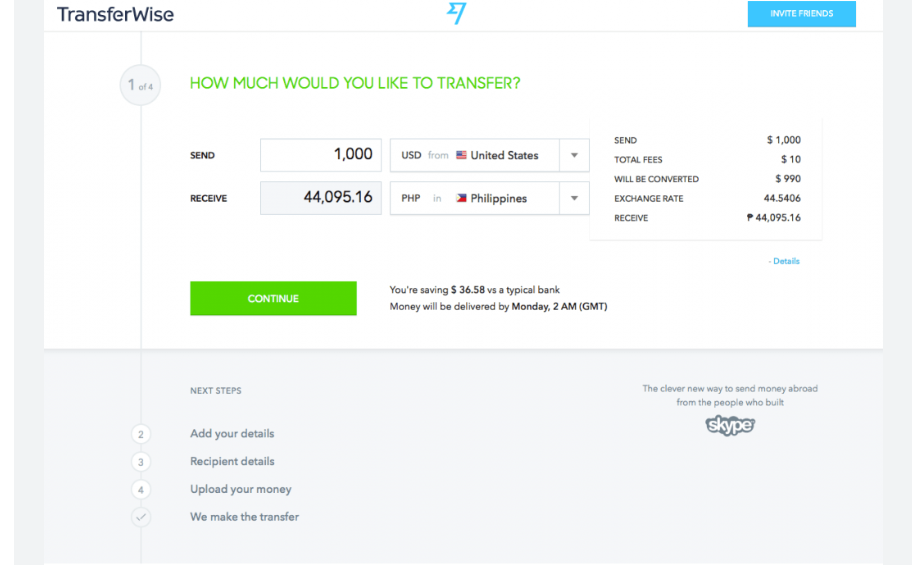
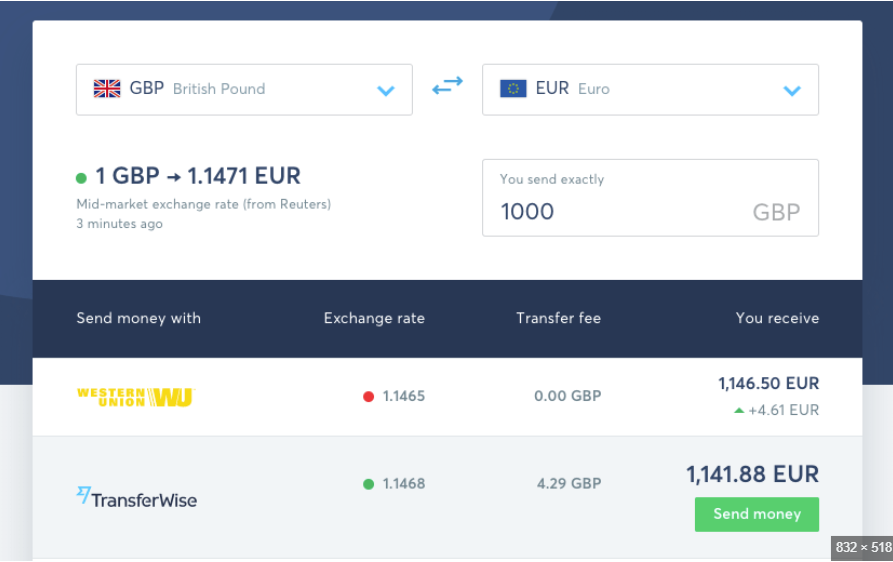
I conducted surveys and user interviews to understand their pain points with existing money transfer platforms. I also performed competitive analysis on industry leaders like PayPal, Wise, and Venmo.
- Key Insights from Research
- Users want a simple, fast, and secure transaction process.
- Many find existing apps overwhelming with too many unnecessary features.
- Security is a top concern, and users want clear authentication steps.
- Users prefer visual transaction insights like charts and reports.
Design Process
- 1️⃣ Information Architecture & Wireframing
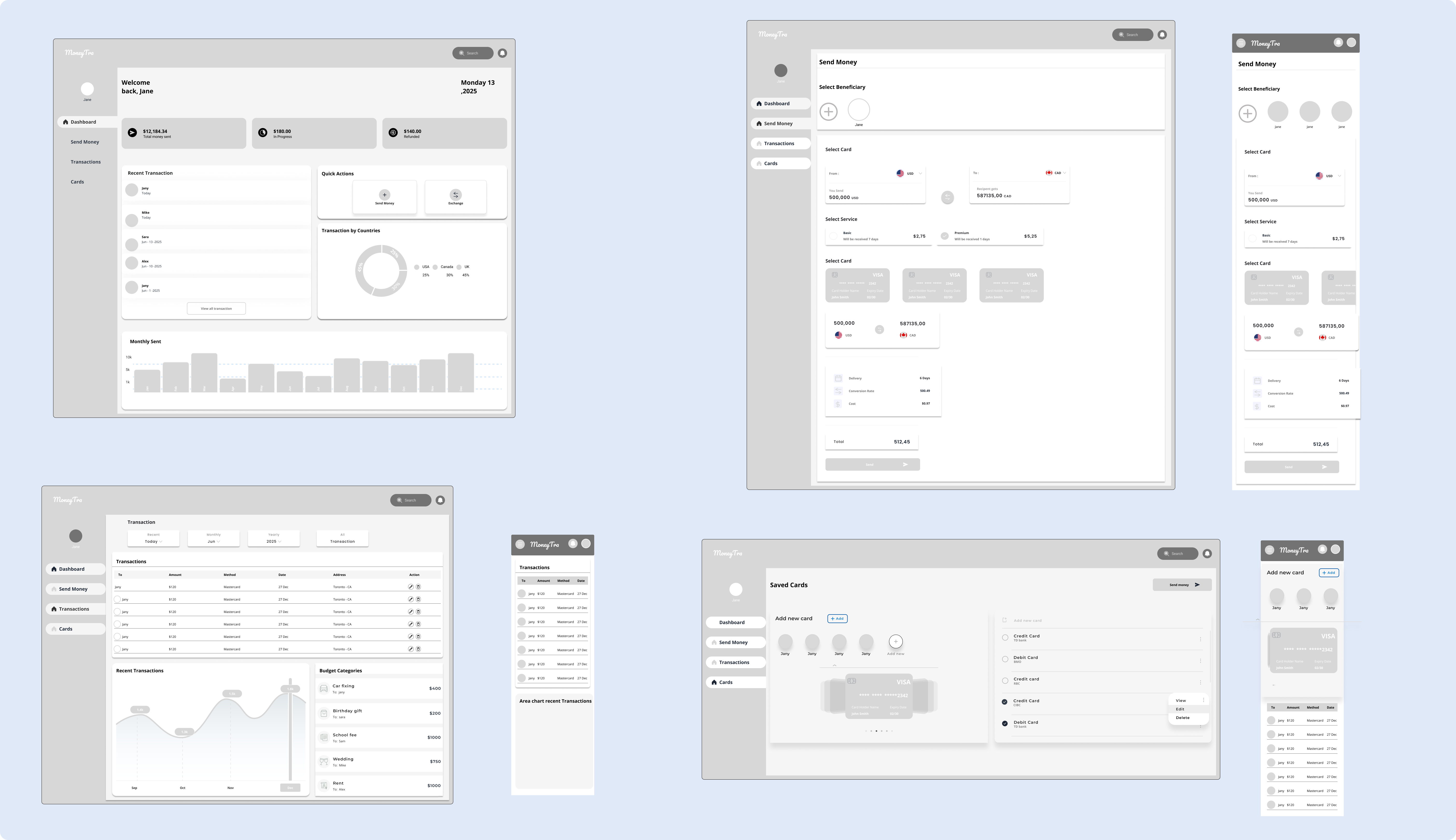
To ensure an intuitive experience, I structured the navigation with:
Left Sidebar Navigation – Quick access to dashboard, transactions, and card management.
Card-based UI – Organized layout for easy reading.
Minimalist Design – Avoid clutter while keeping financial insights clear.
I created low-fidelity wireframes in Figma to map out user interactions before moving to high-fidelity designs.
- 2️⃣UI Design (Final Visual Design)
I chose a dark, modern, and professional UI theme to enhance clarity while maintaining a premium feel.
Key UI Elements
Color Scheme: Dark blue and white for contrast and readability.
Typography: Bold, clean fonts for a professional look.
Data Visualization: Graphs and charts for easy financial tracking.
Rounded UI Cards: Improve accessibility and visual hierarchy.
- 3️⃣ Interactive Prototyping
I created a high-fidelity prototype in Figma with smooth transitions, hover effects, and button interactions. This helped in demonstrating:
- A realistic user flow from login to money transfer.
- A responsive transaction dashboard for easy financial insights.
- Secure card management features to add, remove, or edit payment methods.
Final UI Screens & Features
Managing online money transfers can be complex and frustrating for users due to unclear navigation, confusing transaction histories, and security concerns.
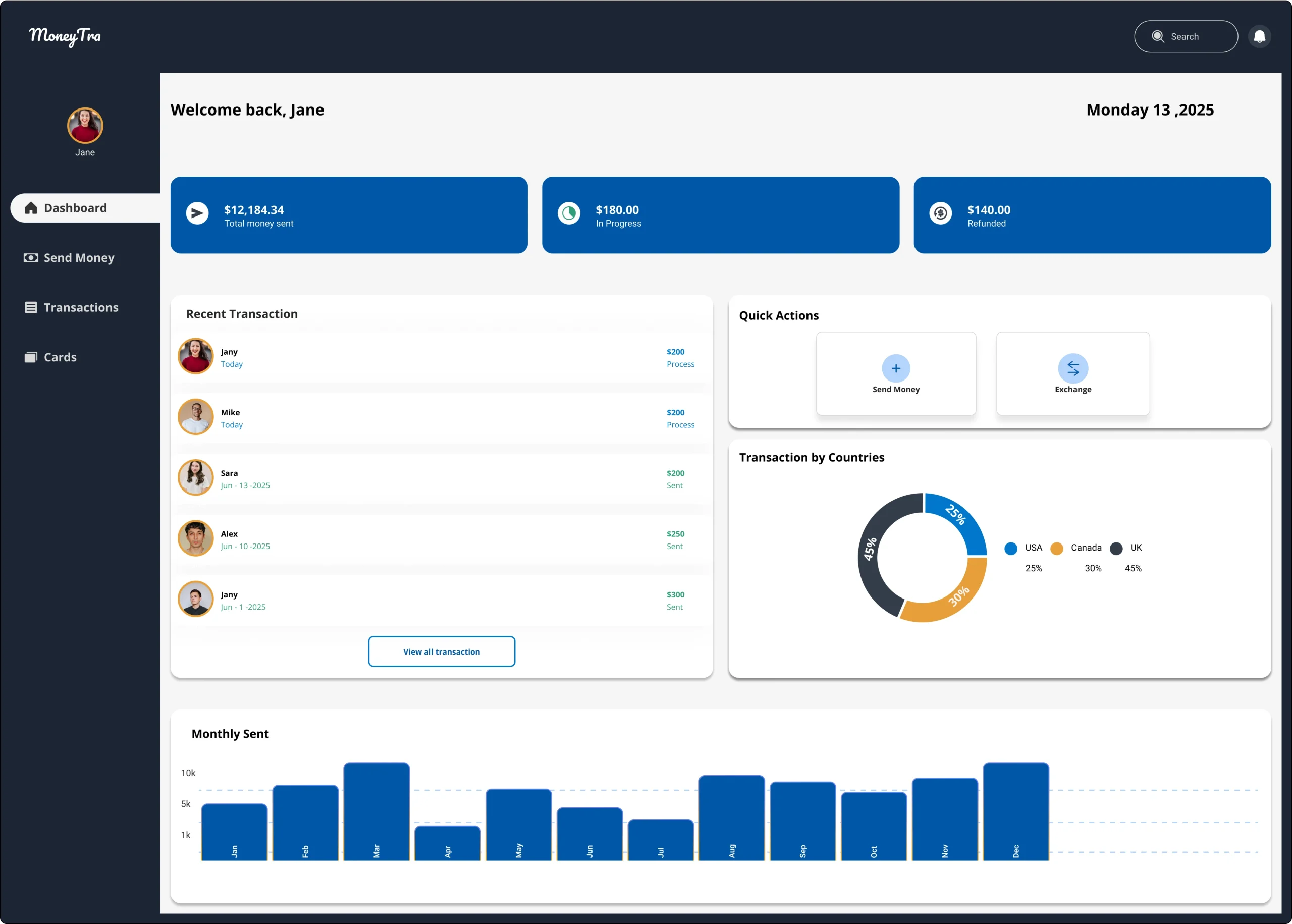
- 1️⃣ Dashboard (Main Home Page)
- Displays account balance, recent transactions, and spending overview.
- Includes quick access to money transfers and financial analytics.
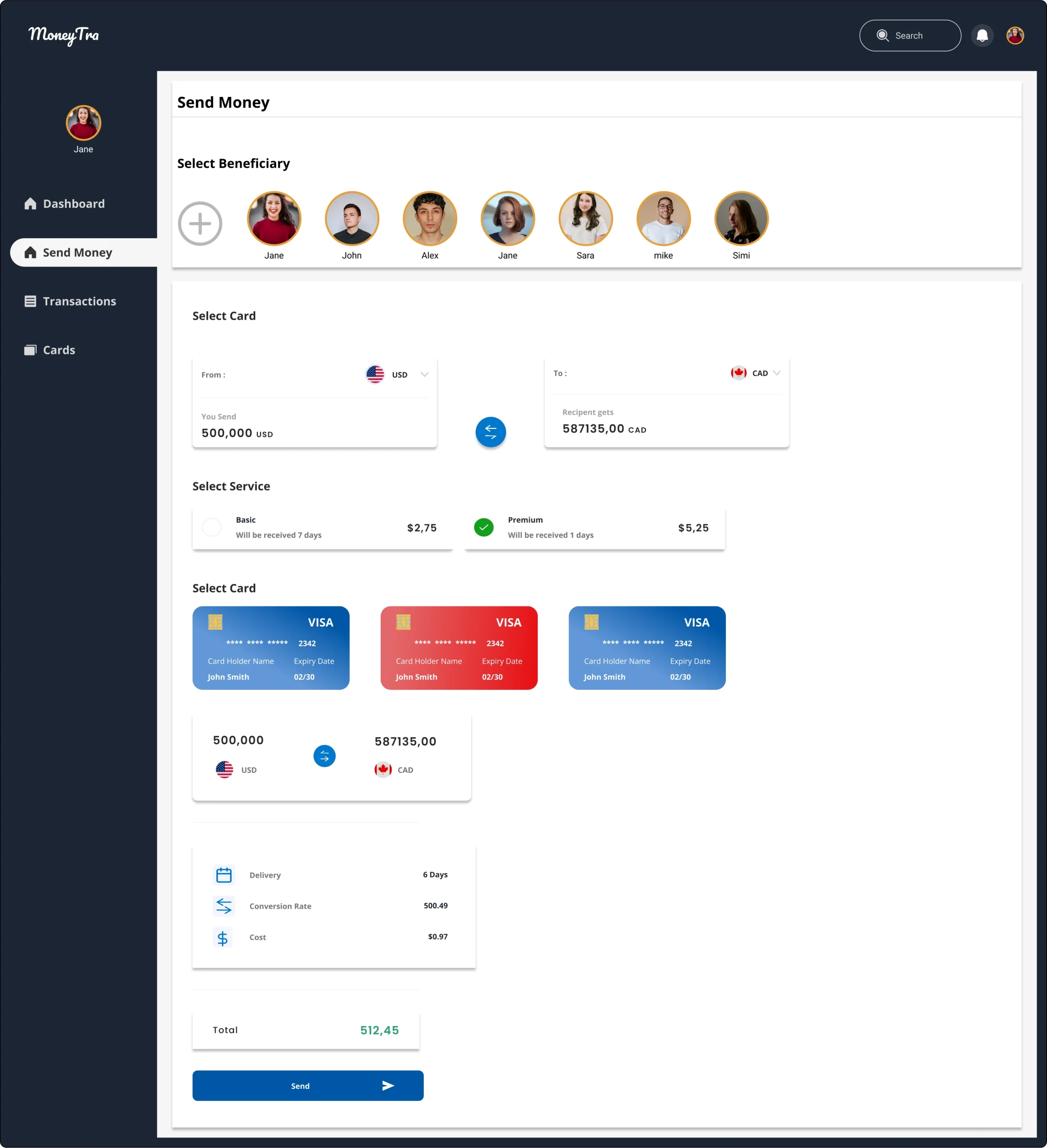
- 2️⃣ Send Money Page
- Users can select contacts from their saved list.
- Provides a clear breakdown of exchange rates and transaction fees.
- Ensures a secure authentication process before sending funds.
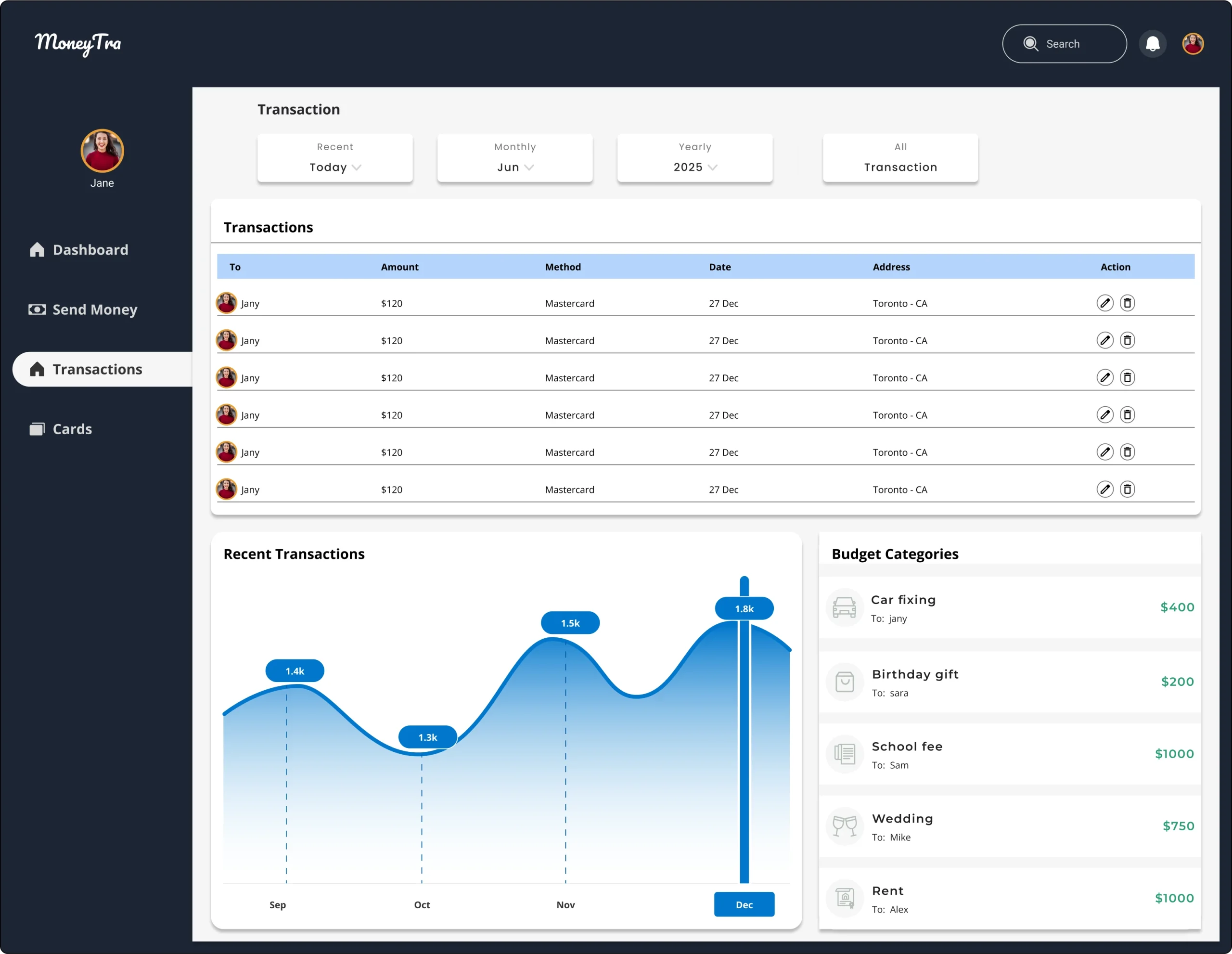
- 3️⃣ Transactions Page
- Displays detailed transaction history with filtering options.
- Uses visual graphs to help users analyze their spending habits.
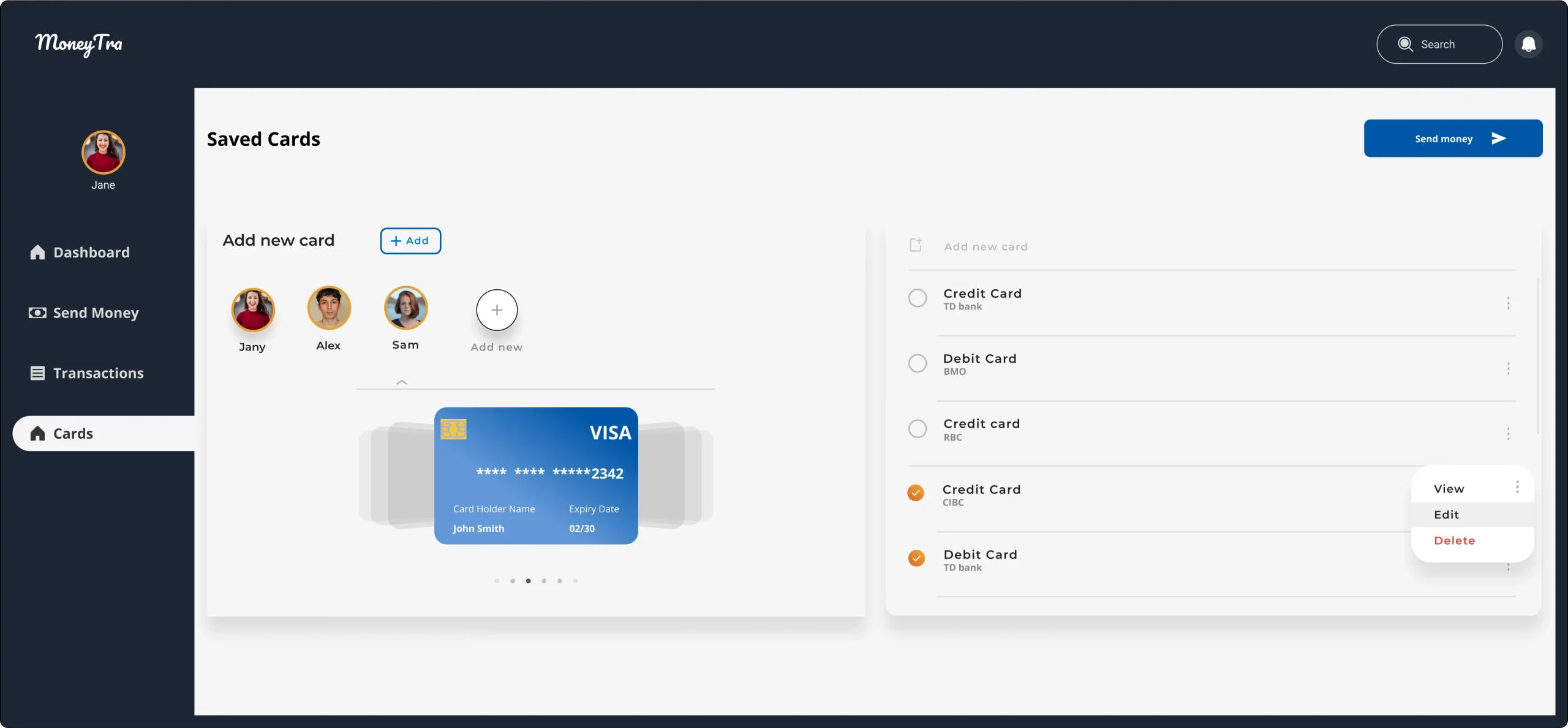
- 4️⃣ Saved Cards Management
- Users can add, edit, and delete stored cards securely.
- Includes card verification steps to enhance security.
Final Outcome & Impact
✔ Improved User Experience – Simple and intuitive navigation.
✔ Enhanced Security – Clear authentication steps for transactions.
✔ Better Financial Insights – Visual transaction tracking with graphs.
✔ Modern, Responsive UI – Works smoothly on desktops and future mobile adaptation.
Learnings & Next Steps
📌 What I Learned:
- User research is key to designing an intuitive financial platform.
- Data visualization helps users understand their financial activity better.
- Usability testing is crucial for refining UI/UX before launch.
📌 Next Steps:
- Optimize the design for mobile-friendly experience.
- Conduct further A/B testing to enhance user interactions.
- Implement AI-powered financial insights for smarter budgeting.
Conclusion
This case study highlights my end-to-end UI/UX design process, from research to final design implementation. By focusing on user pain points, usability, and aesthetics, I was able to create a modern and efficient money transfer platform that enhances user experience.
Want to work together? Let’s connect!